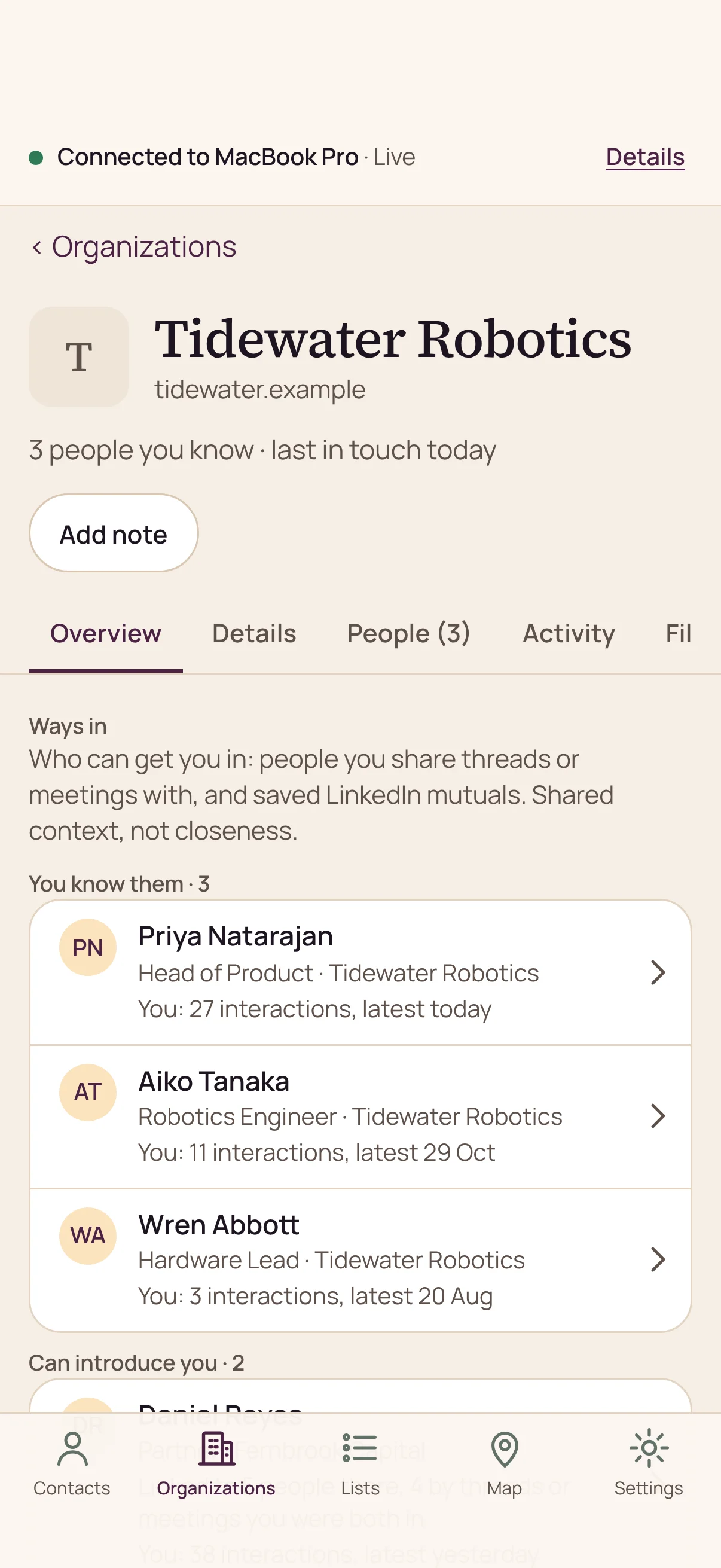
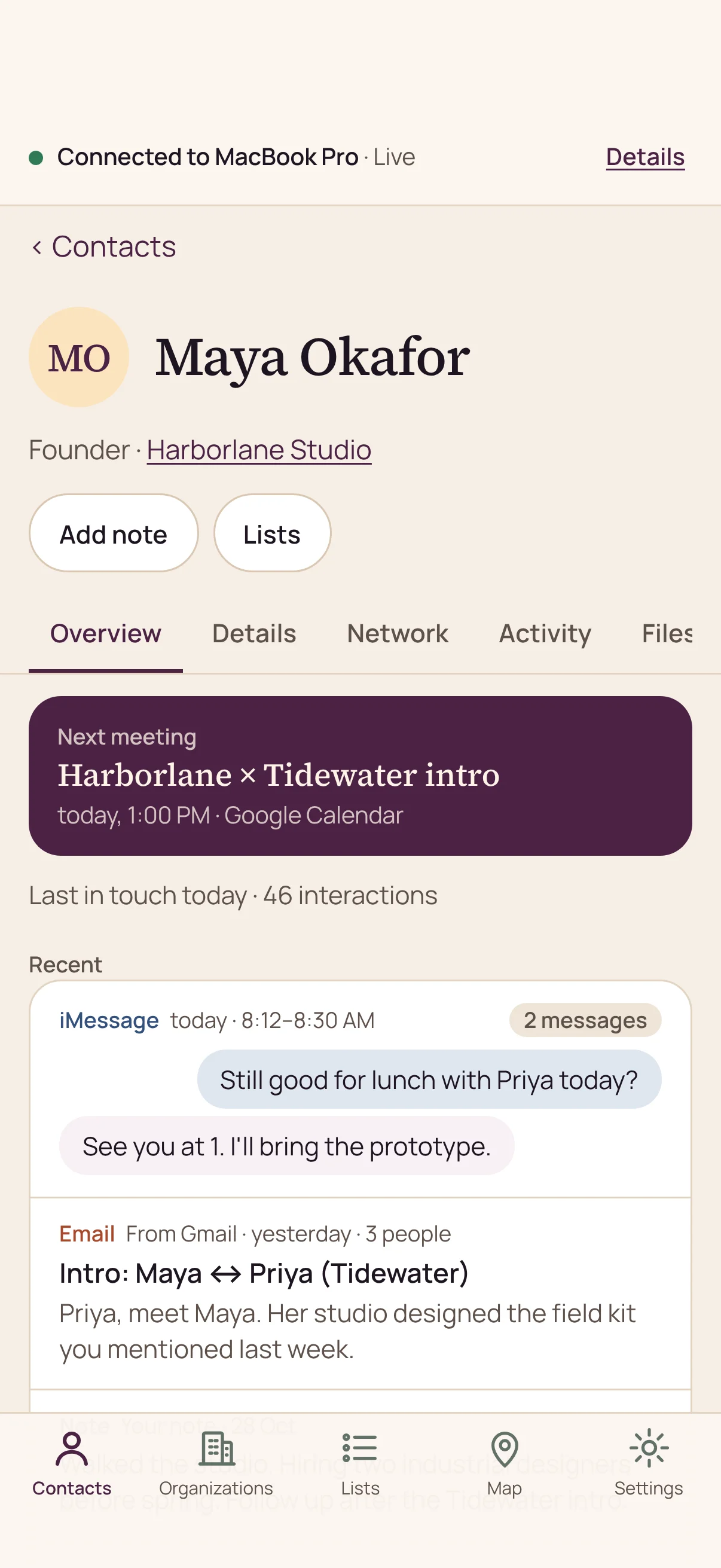
Short answer: Tapestry for iPhone is out today on the App Store. It’s a free companion to Tapestry on your Mac. Before a meeting, you can see who someone is, when you last spoke and who can introduce you, live from your own Mac. Your Mac keeps your Tapestry, and the phone keeps no copy of it.
Why Tapestry on iPhone matters
Most of the moments where a relationship counts happen away from your desk. You’re in a lobby five minutes before a meeting. Someone waves at you across a conference hall. You’re on the way to coffee with a person you haven’t seen in a year.
Until today, everything Tapestry knew about those people stayed on your Mac. Now it comes with you.
What can you do with Tapestry on iPhone?
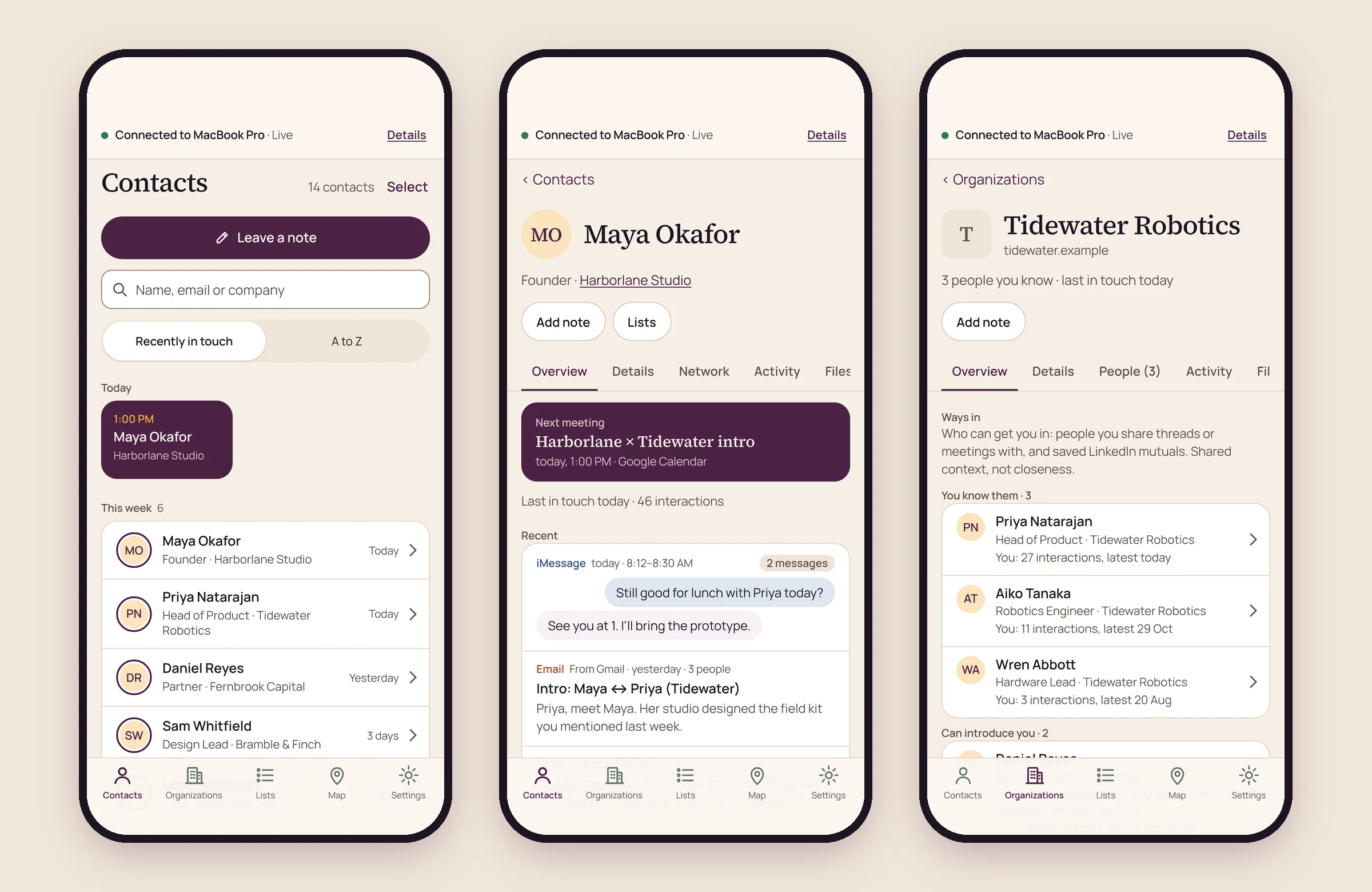
The iPhone app opens the relationship memory you’ve built on your Mac. You can:
- Find anyone by name, email or company, and see who you’ve been in touch with lately.
- Get up to speed on a person: your next meeting with them, when you were last in touch, your emails, messages, meetings and notes with them, and the files and links you’ve shared.
- See the organizations where you know people, sorted by recent contact, by how many people you know there, or A to Z.
- Find the ways in to an organization: the people you know there, and the people who can introduce you.
- Browse your lists and smart lists, and add a person to a list or take them off it.
- Leave a note on a person or an organization, and edit or delete your notes.
- See the people you know on a map, by where they’re based and where you met.
- Share into Tapestry from any app: a screenshot, a link, some text or a contact card.
- Lock the app with Face ID.
What changes day to day
You prep where the meeting happens
Open the person, read the last thread, check what the meeting is about and walk in knowing where you left off. No more scrolling through three inboxes in the elevator.
The warm path is in your pocket
When a company comes up over lunch, open it and see who you know there and who can introduce you. You can make the ask while the conversation is still warm, instead of trying to remember it when you’re back at your desk.
Follow-through starts in the moment
Leave a note right after the conversation, while you still remember what you promised. Got a screenshot, a link or a contact card someone sent you? Share it into Tapestry from the app you’re in, and your iPhone sends it to your Mac.
How does Tapestry on iPhone keep your data private?
Your iPhone is a window onto your Mac, not a second copy of your network.
- Your Mac keeps your Tapestry. The iPhone keeps no copy of it. It shows what your Mac answers, live, through Tapestry’s relay, which passes encrypted connections it can’t read.
- What you share stays sealed. Anything you share into Tapestry from the iPhone is sealed on the phone so only your Mac can open it, then sent there.
- Notes go home. Your notes and list changes are sent to your Mac, which saves them.
- No ads or tracking. The iPhone app has no account, and no advertising or tracking. The camera is used only to scan the pairing code, and Face ID only to unlock the app.
- The map is the one outside call. The Map loads its streets from OpenStreetMap, which receives your phone’s IP address and the area you’re viewing.
The privacy notice covers Tapestry on iPhone in full.
How Tapestry on iPhone fits into Multi-device
Tapestry started on the Mac, local-first: your relationship memory is built and kept on your own device, from the sources you choose. Multi-device is how that memory reaches the rest of your devices without moving into our cloud.
Your Mac stays home base. Your iPhone and your other computers reach it through the relay, so you get your relationship context everywhere while it still lives in one place you control.
The iPhone app is free to download. Using it with your Mac is part of Multi-device, which you can add as an upgrade in the Mac app when you’re ready to take Tapestry with you.
How to get started
- Get the app. Download Tapestry for iPhone from the App Store. It needs iOS 17 or later.
 Needs Tapestry for Mac.
- Click Connect your iPhone on your Mac. You’ll find it in Setup, Settings, Your plan and Access.
- Scan the code. One dialog walks you through it: point the iPhone app at the code your Mac shows, and you can open your Tapestry from your phone.
The support page has these steps too, and a person will reply if you get stuck.
Frequently asked questions
Do I need a Mac to use Tapestry on iPhone?
Yes. It’s a companion to Tapestry for Mac and needs it. Tapestry for Mac reads the accounts you connect, such as email, calendar and messages, and keeps your relationship memory there.
Does my Mac need to be on?
Yes. The phone shows what your Mac answers, live, so both your Mac and your iPhone need to be connected to the internet.
Does the iPhone app store my relationship data?
No. The iPhone keeps no copy of your Tapestry. It shows what your Mac answers, and sends your notes and list changes back to your Mac, which saves them.
Is Tapestry on iPhone free?
The app is free to download. Using it with your Mac is part of Multi-device, an upgrade you add in the Mac app.
How do I get Tapestry for Mac?
Tapestry is invite-only for now, and we open it to people in small groups. Request access to be considered.
Learn more
- Privacy at Tapestry PRM, for what stays on your device and what the iPhone app sends.
- Warm introductions, for how to ask for an intro and how to make one.
- Tapestry support, for pairing help and how to reach us.
Sources
- Tapestry PRM on the App Store, apps.apple.com/app/id6826932630. Checked 8 November 2026.
Already use Tapestry on your Mac? Get Tapestry for iPhone. New to Tapestry? It’s invite-only for now, Mac first, and the local version is free. Request access.
Get new posts on LinkedIn
Follow Tapestry PRM, or pass this one on to someone it would help.